
Board planning with engineering-grade detail.
`.frm` boards keep task execution structured with board/list views, task metadata, dependencies, and saved views, while staying file-backed in your repo.
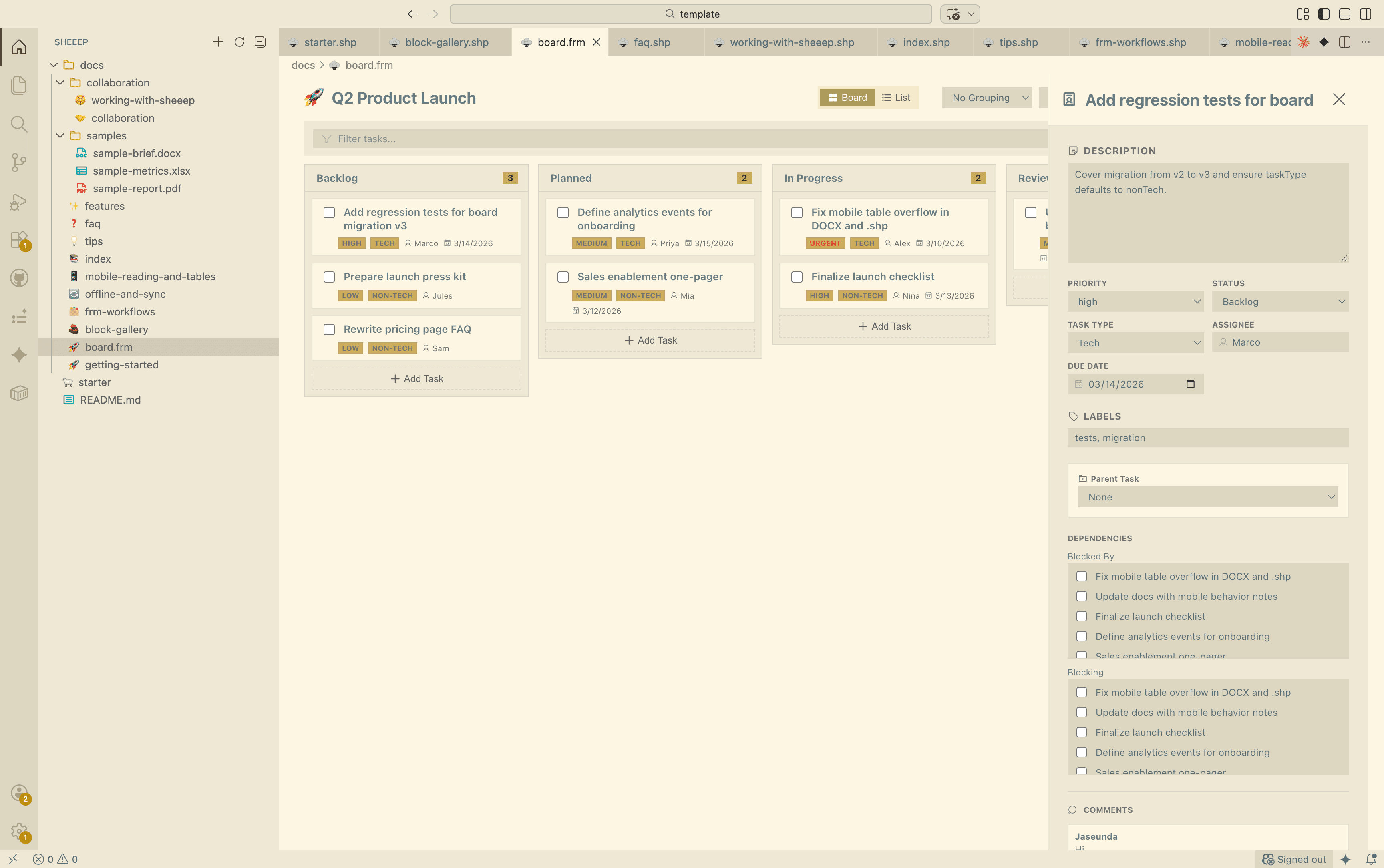
Board + List Views
Switch between Kanban execution and list review using the same task data model.
Saved Views
Capture filter, grouping, and sorting states as reusable views inside the `.frm` file.
Task Metadata
Manage priority, labels, due date, estimate, and task type (`tech` / `nonTech`) per task.
Hierarchy + Dependencies
Track parent/subtasks and dependency links (`blockedBy` / `blocking`) directly in task detail.
Grouping + Filtering
Group by status, priority, assignee, due date, label, or task type, then triage with focused filters.
Bulk Updates
Select multiple tasks to update status, priority, assignee, labels, or task type in one pass.
Technical depth,
without workflow sprawl.
`.frm` is designed for teams that need planning detail and execution speed in one place, while keeping the board portable as a normal repository file.
- Shipped: board/list toggle + saved views
- Shipped: dependencies + task hierarchy
- Shipped: file-backed persistence in git
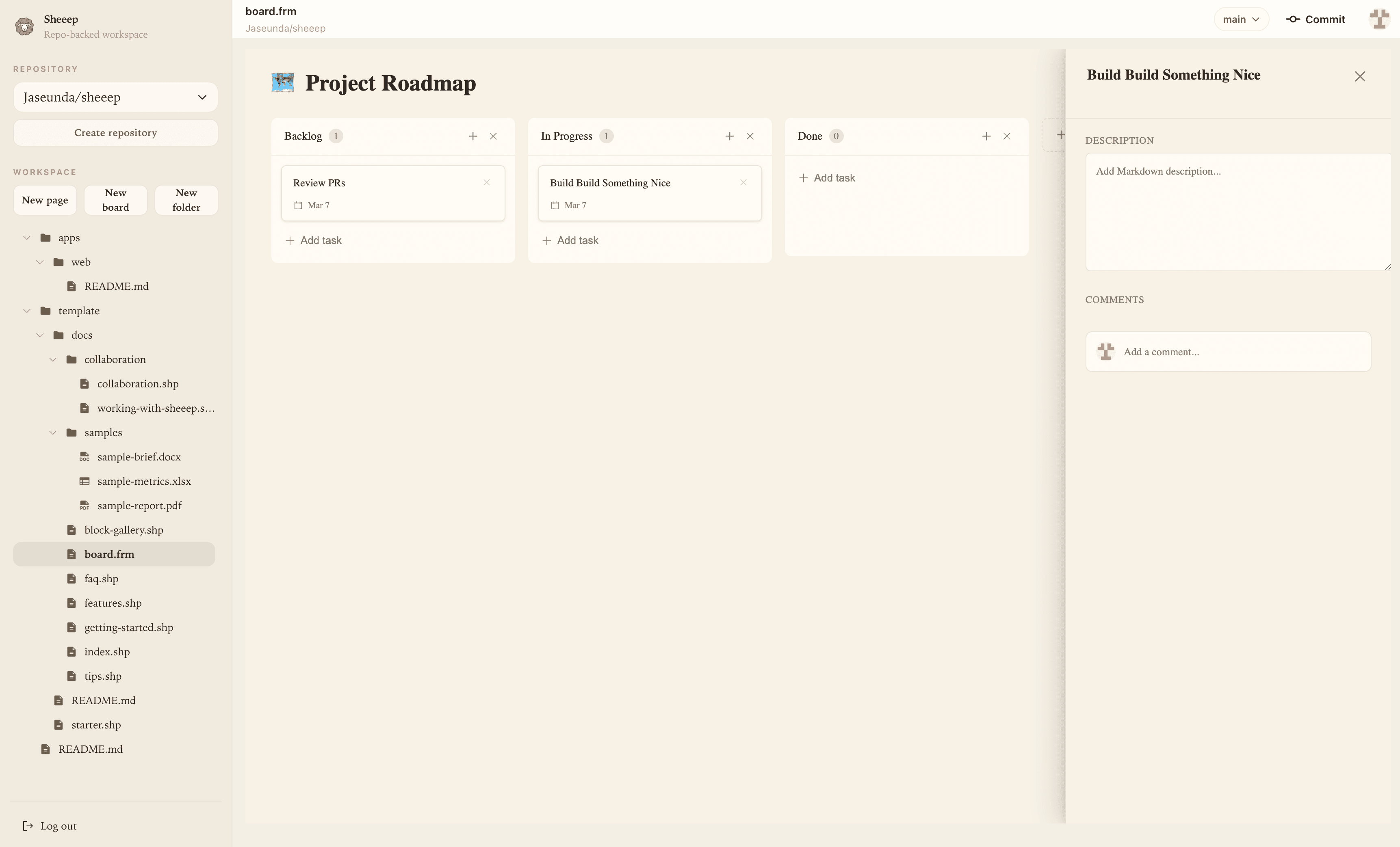
Create, triage, save, execute, persist.
Add tasks in board columns and define ownership early.
Set priority, labels, due date, estimate, and task type.
Store focused triage states in file-backed saved views.
Use board for flow and list for review and reporting.
All task state remains in the `.frm` file across web and extension.